
The class workspace
The class page is your home for everything you do with one class. Open it from Classes in the sidebar, or from the class menu.
At the top you see the class name, its subject and grade, and three buttons: Edit class, Archive class and Delete class. See Manage students for those.
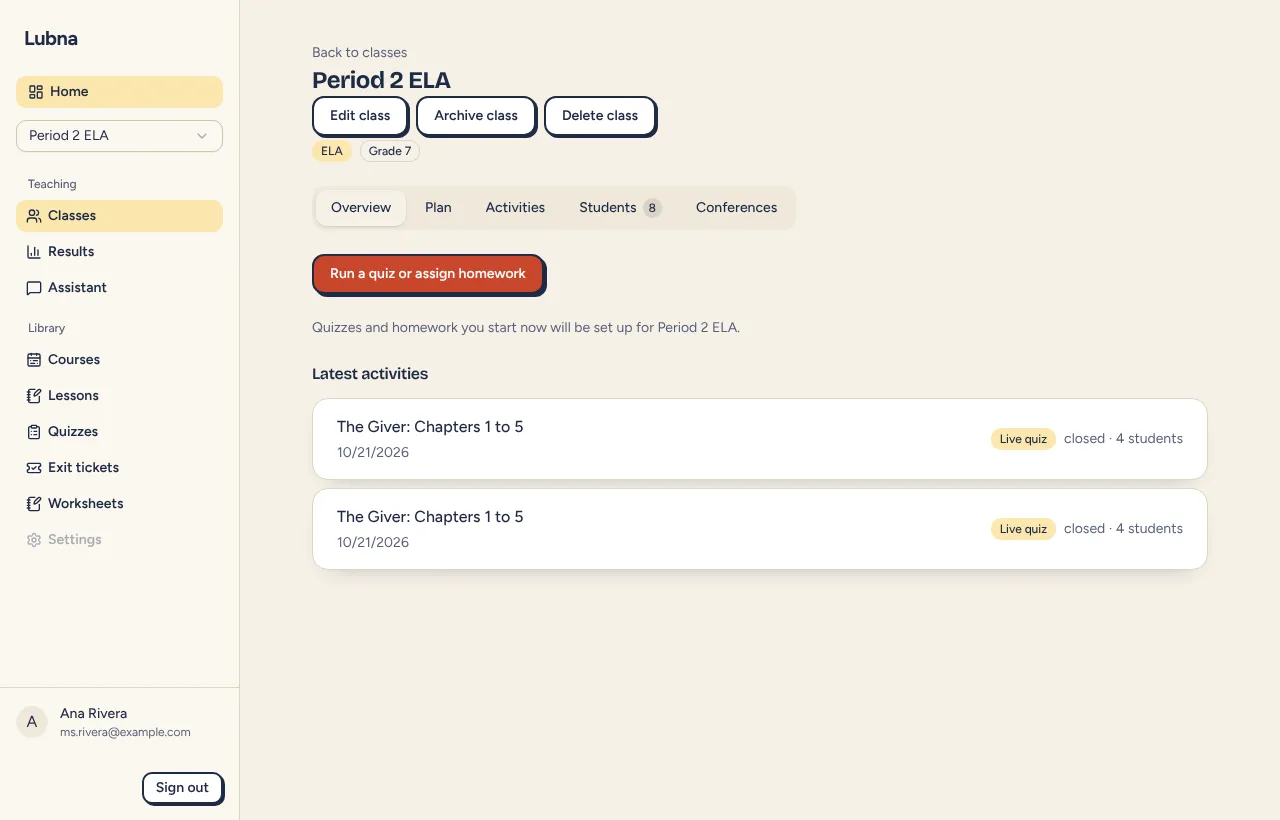
When you open a class, it becomes your current class. Forms for quizzes, homework and conferences start with it selected. Archived classes are not set as current.
The page has five tabs.
Overview
Section titled “Overview”- Run a quiz or assign homework opens your quizzes. Anything you start from here is set up for this class.
- Latest activities shows the three most recent runs. Select one to see its results, or to return to the host screen if you are running it. If there are more, select See all.
Shows the course plan linked to this class, if you have one. See Course plans.
Activities
Section titled “Activities”Everything students have done in this class:
- Weekly review for the class. See Weekly review.
- Quizzes and homework, newest first, each linking to results. Start one by opening a quiz and choosing Run live or Assign homework.
- Exit tickets, with a New exit ticket button. See Exit tickets.
Students
Section titled “Students”Your roster and its settings. This tab lets you:
- Turn Rewards on or off and give bonus gems.
- Print code cards, Add students, Export name list and Import name list.
- Reset device sign-ins.
- Turn nicknames and custom avatars on or off.
- See each student’s name (from this device), code, grade and supports, with a Manage button.
- Open Removed students to restore or delete them.
- See Linked student accounts, if the class uses verified school mode.
Details are in Manage students and Student settings. If you see only codes, read Student names stay on your device.
Conferences
Section titled “Conferences”Lists conference events for this class. Use Plan conferences to start one, or All conference events to see every event. See Schedule conferences.
Good to know
Section titled “Good to know”- Archived classes show a note: “Archived. Results remain available. Students cannot join activities.”
- The tab you are on is kept in the page address, so you can bookmark it.